User guide
Test send and verified addresses
Outcome: the design, exactly as exported, arrives in your inbox (or a colleague's or client's) so you can check it in a real mail client.
A test send is not a campaign. It goes only to addresses that have been confirmed by the person who owns them, which is what stops the feature being used to send mail to strangers.
Your own address
Your account address is always available. You do not need to set anything up to send a test to yourself.
Add a colleague's or client's address
- Open Settings in the workspace sidebar. The Test addresses card lists every address.
- Click Add address, enter the email address, and click Send confirmation link.
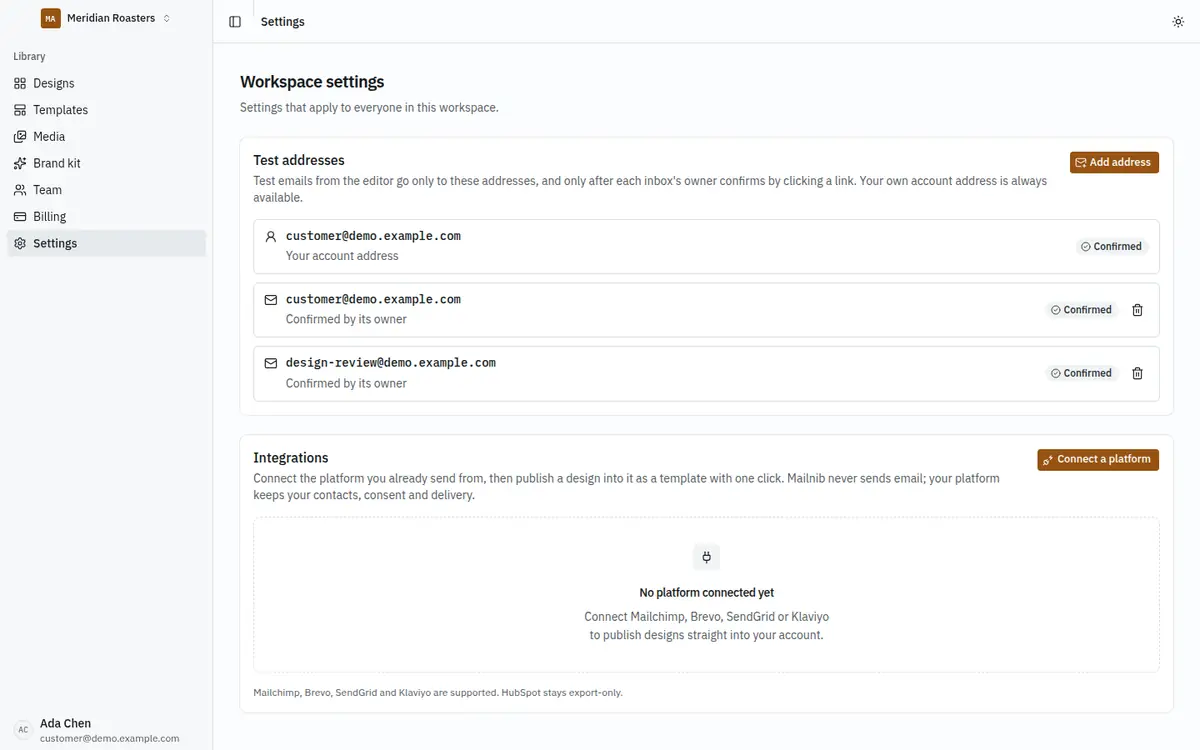
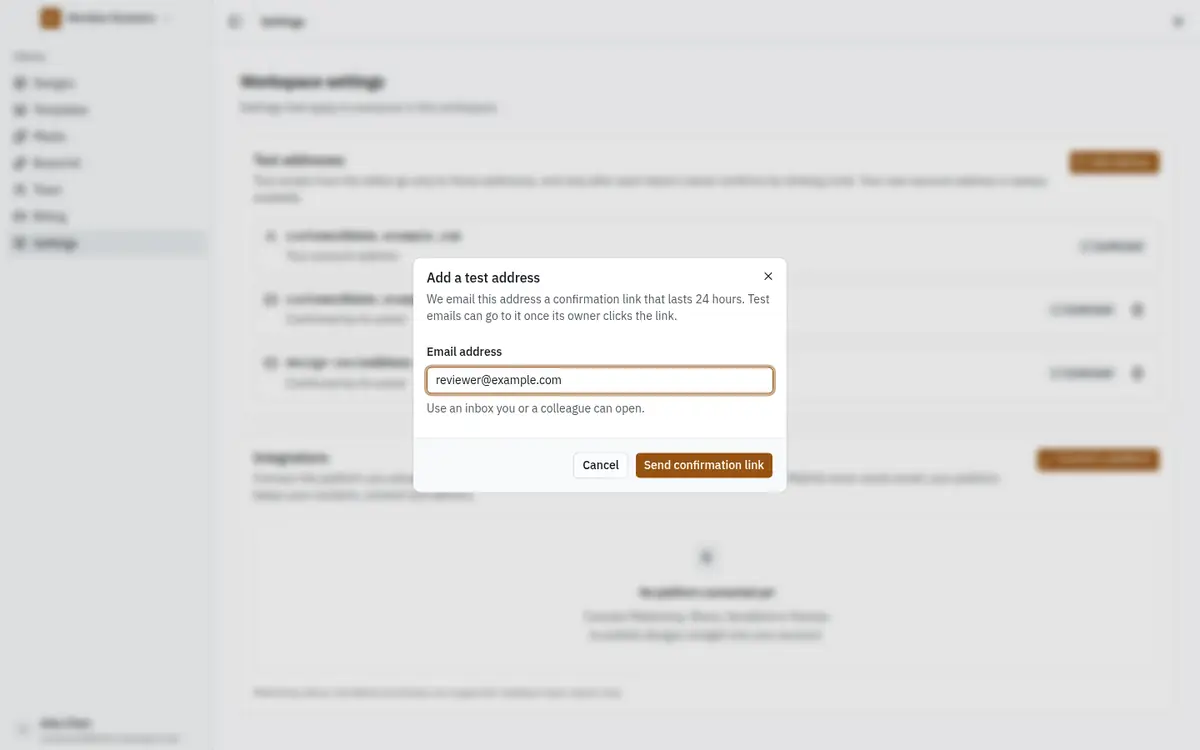
The owner of that inbox receives a link, valid for 24 hours and usable once. Until they click Confirm address, the address shows Pending and cannot receive tests. If the link expires, click Resend link.
A workspace can hold 20 test addresses, and you can send ten confirmation links an hour. Remove an address with its bin icon; adding it again needs a new confirmation.
Send a test
- Open the design and wait for Saved.
- Click Export → Send a test email.
- Tick the addresses to send to. Only confirmed ones are listed.
- Change the Subject prefix if you like; it defaults to
[Test]. - Click Send test.
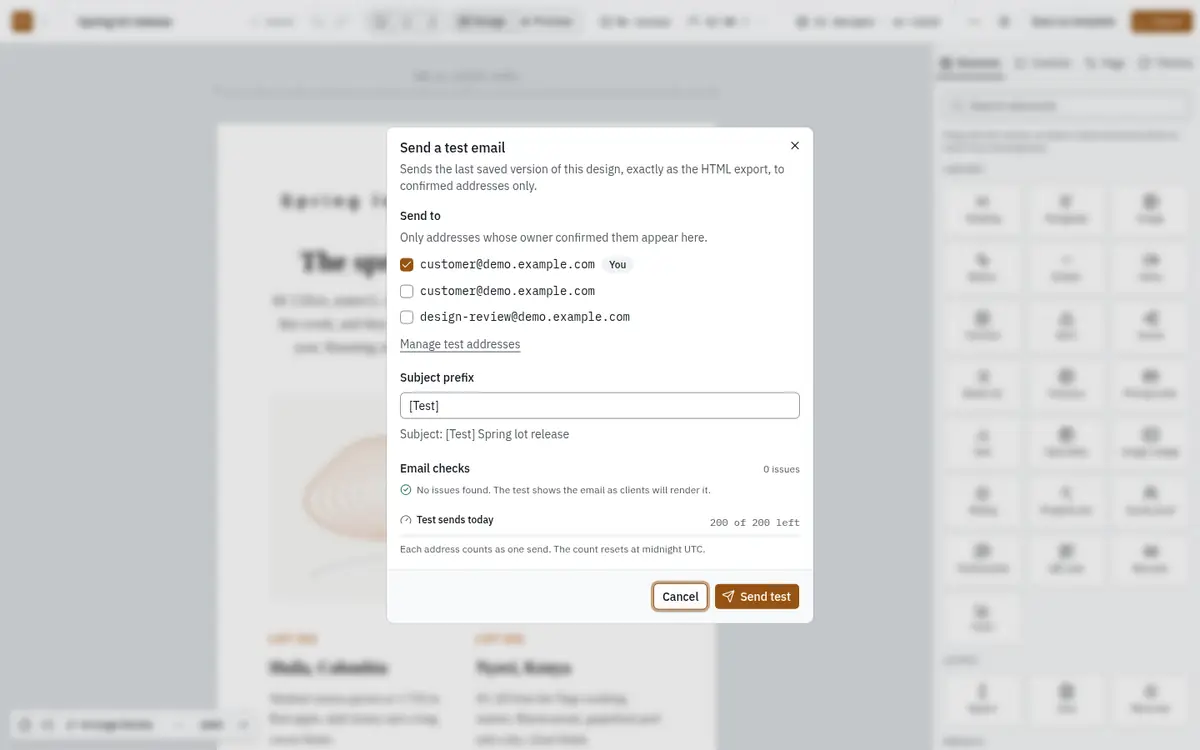
The dialog also shows the design's email checks and how many test sends you have left today. Each address counts as one send, and the count resets at midnight UTC.
When a test is refused
| Message | What to do |
|---|---|
| Today's test sends are used up | Your plan's daily allowance is reached. Wait until midnight UTC, or upgrade. |
| Too many test sends in a few minutes | Wait the number of minutes shown and send again. Nothing was sent. |
| An address is no longer confirmed | It was removed or its confirmation lapsed. The list is refreshed; choose again. |
| The mail service did not accept the message | The platform's SMTP settings are wrong. Nothing was delivered, but the attempt counts toward today. Ask your platform operator to check Email (SMTP) settings. |
| Test sends could not load | Your role may not allow test sends, or the connection dropped. Reload the editor. |
If a test says it was sent but never arrives, check the spam folder first. It can take a minute.