User guide
Designs and folders
Outcome: you can create a design and find any design again in a busy library.
A design is one email. Everything in a workspace's library is shared with the whole team.
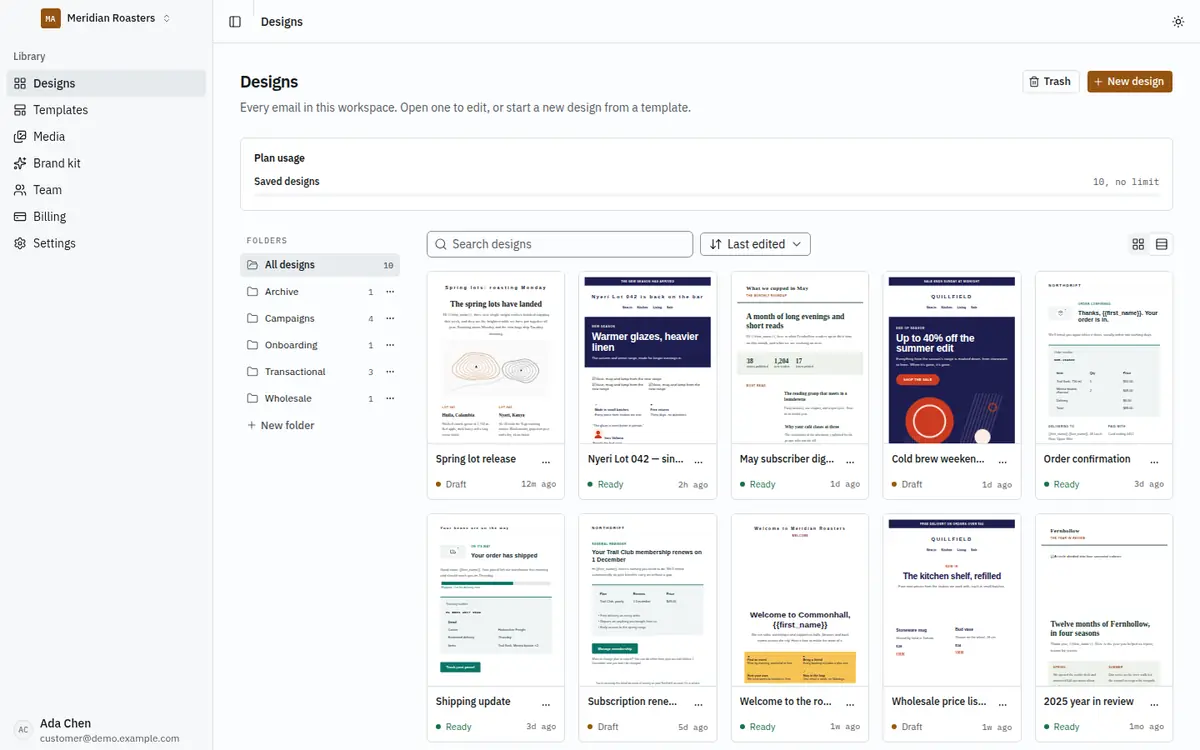
Each card shows the design itself, drawn by the same renderer the editor previews with, so what you see is what you will export. It updates when the design is saved.
Create a design
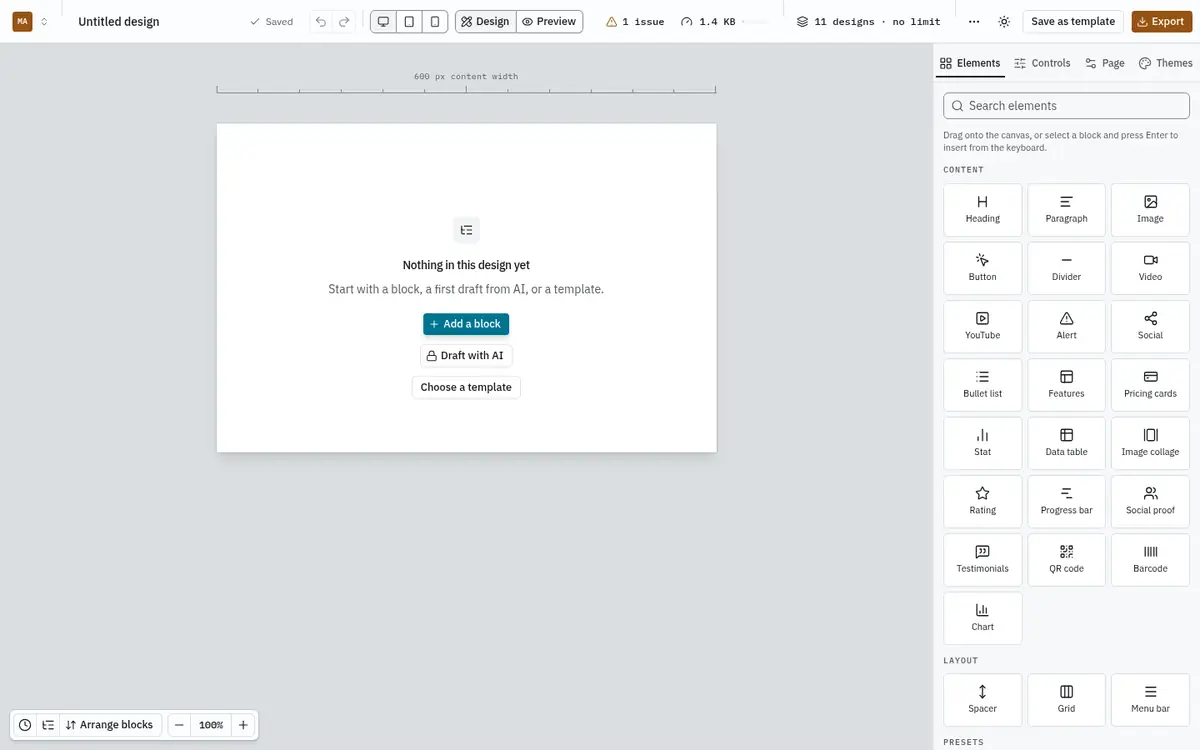
Click New design. A blank design opens in the editor with a Choose a template button in the middle of the empty canvas. Start from a template, or drag in your first block. See Templates.
If your plan's design limit is reached, the button is disabled and the library says which limit you hit; you can still open, edit and export every design you have.
Find a design
- Folders on the left filter the library. The number next to each folder is how many designs it holds.
- Search designs matches names as you type.
- Last edited changes the sort: by last edit, name, or date created.
- The two buttons on the right switch between grid and list view. The list shows who edited each design last and when.
- More than twelve designs are split into pages.
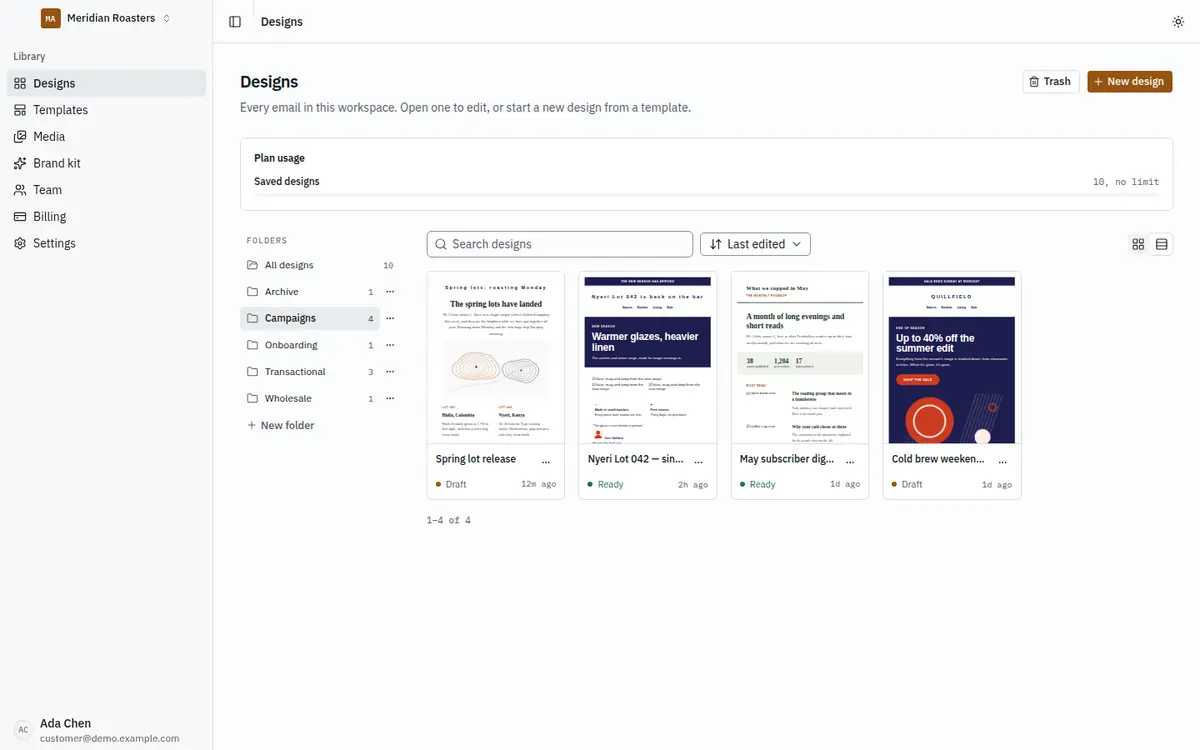
Each card shows the design's status: Draft, Ready or Archived.
Organise with folders
Click New folder, name it, and it appears in the list. Folder names are unique in a workspace, ignoring capital letters. Use the ⋯ next to a folder to Rename or Delete it. Deleting a folder never deletes its designs: they stay in the library without a folder.
Anyone who can edit designs can manage folders. Viewers can browse them.
Rename, duplicate, move and delete
Each design's ⋯ menu has:
- Rename, to change the name shown in the library and the editor.
- Duplicate, which makes a copy named "… (copy)" in the same folder. A copy counts against your plan's design limit.
- Move to folder, or take a design out of its folder.
- Delete, which moves the design to the trash.
Tick the boxes on several cards, or the box in the list header, to Move or Delete them together.
The trash
Deleted designs stay in the Trash for 30 days and can be restored. Delete permanently removes one at once, together with its history. After 30 days the trash removes it for you. Restoring a design needs room in your plan's design limit.
Deleting and restoring are recorded in the workspace's audit log.