Operator guide
Publishing settings
Outcome: you decide which email platforms your customers may publish into, and which plans include it.
Customers connect their own Mailchimp, Brevo, SendGrid or Klaviyo account and publish designs into it as templates; see Publishing to email platforms. It never sends mail, and the platform account, its contacts and its sending stay the customer's.
Platforms
Open Settings in the console and choose the Integrations tab. Each platform has a switch, all on by default.
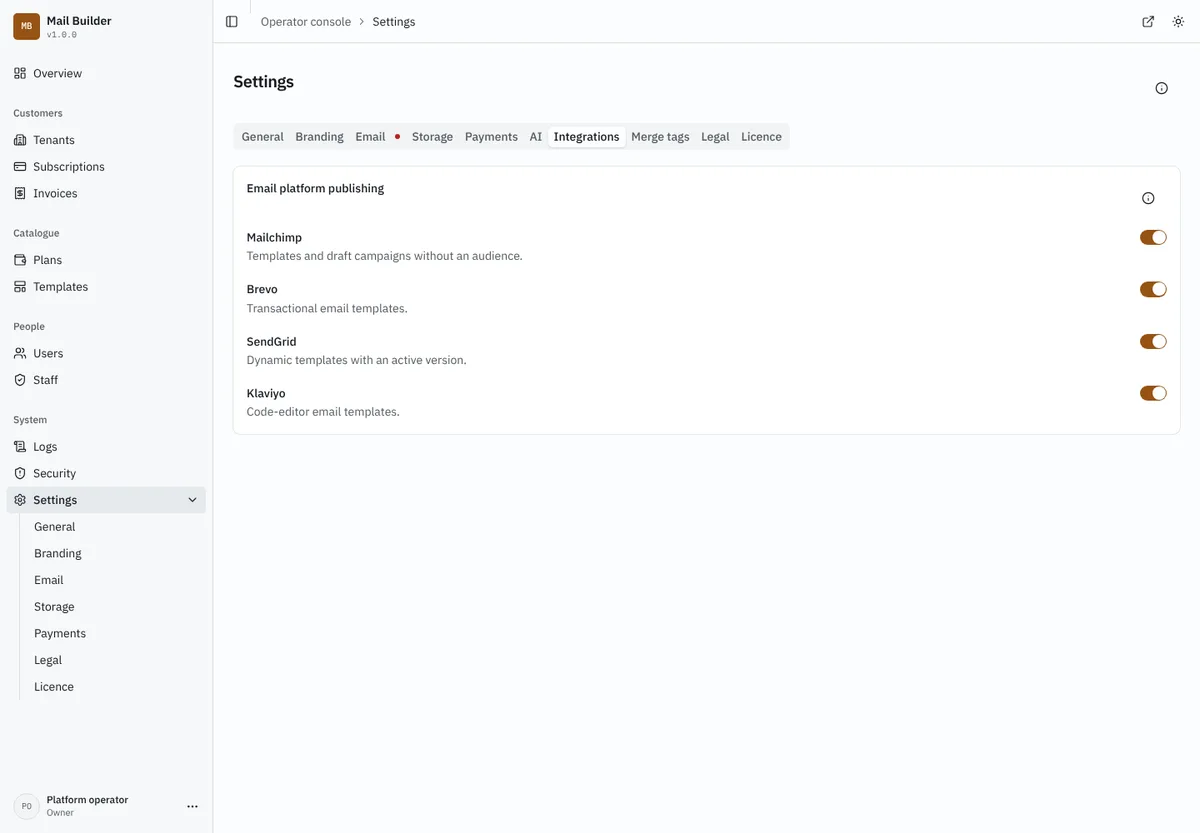
Switching a platform off stops new connections to it and stops publishing to it. Connections already saved stay saved, shown to customers as turned off, and work again when you switch the platform back on. Click Save changes to apply.
Plans
Whether a workspace may publish at all is a Publishing switch in the plan editor, under the limits. Each publish also counts as one export, so Exports per month still applies; see Quotas.
| Plan | Publishing |
|---|---|
| Free | off |
| Starter, Professional, Agency | on |
Those are the settings on a fresh installation. An installation that is updated keeps publishing on for every plan it already had, so nothing a customer could do yesterday disappears; switch it off on the plans you want to restrict. A plan created in the console starts with publishing on.
What your server needs
- A public
https://address. The platforms fetch the design's images from your installation, soPUBLIC_APP_URLmust be a public HTTPS address. Withlocalhostor plainhttp://, customers are told publishing is blocked rather than getting templates with broken images. - A strong
APP_KEY. Customers' API keys are stored encrypted with it, bound to their workspace. Without a strong key, connecting is refused. RotatingAPP_KEYre-seals these keys with everything else. - Outbound HTTPS. Mailnib calls only each platform's own fixed API host:
*.api.mailchimp.com,api.brevo.com,api.sendgrid.comanda.klaviyo.com. Nothing a customer types ever becomes an address to call. If your host restricts outbound traffic, allow those names.
Audit and privacy
Connecting, testing and removing a platform, and every publish (successful or not), are recorded in the workspace's audit log with who did it. Keys are never written to the log, the audit log or any response.
Trying it without an account
For development and tests, set PUBLISH_STUB=1 and Mailnib publishes to a built-in pretend platform instead of a real one. It exists only for that: the server refuses to start publishing with it when NODE_ENV is production. Keys beginning stub- are accepted; stub-bad and stub-noscope are refused, and a template name containing stub-fail-rejected, stub-fail-rate or stub-fail-down fails that way.