Operator guide
Tenants and plans
Outcome: you can onboard a customer, move them between plans, and help them from inside their workspace.
A tenant is one customer workspace: its designs, media, brand kit, team and subscription. Customers create their own by signing up at /register; you can also create one for them.
See every tenant
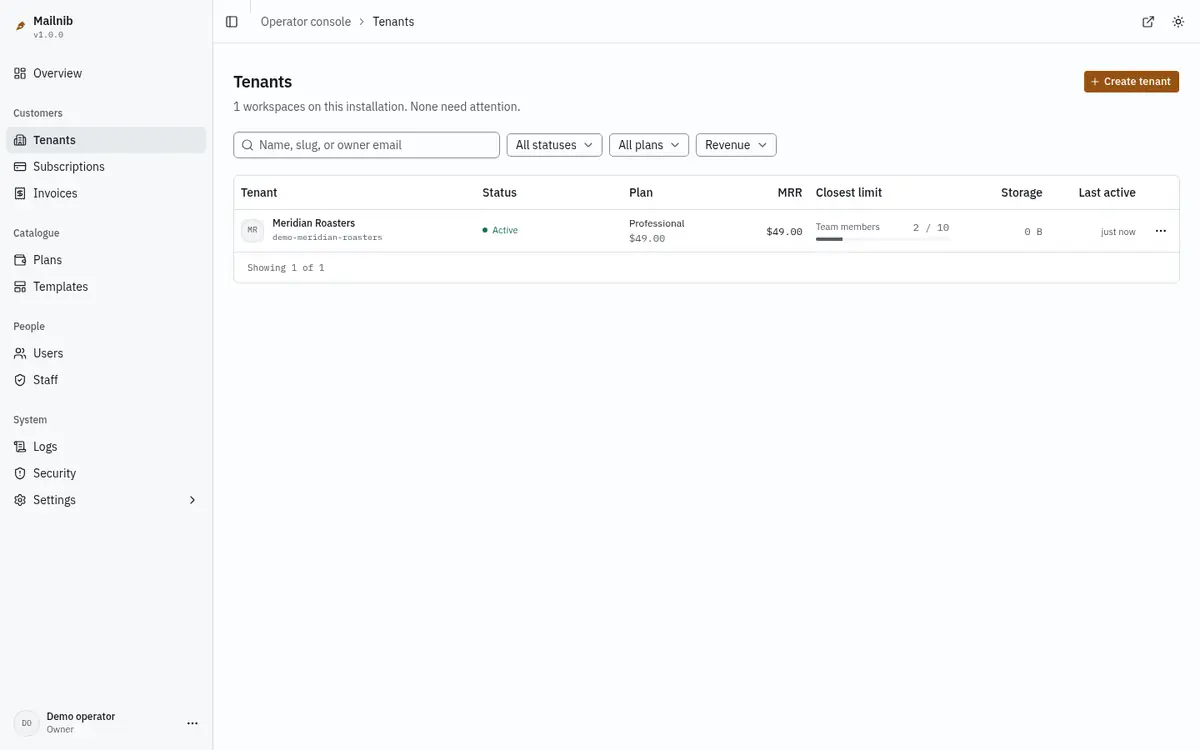
Open Tenants. Each row shows the workspace's status, plan, monthly revenue, the limit it is closest to, storage and when it was last used. Filter by status or plan, sort by revenue, usage or date, and search by name or owner email.
Create a tenant
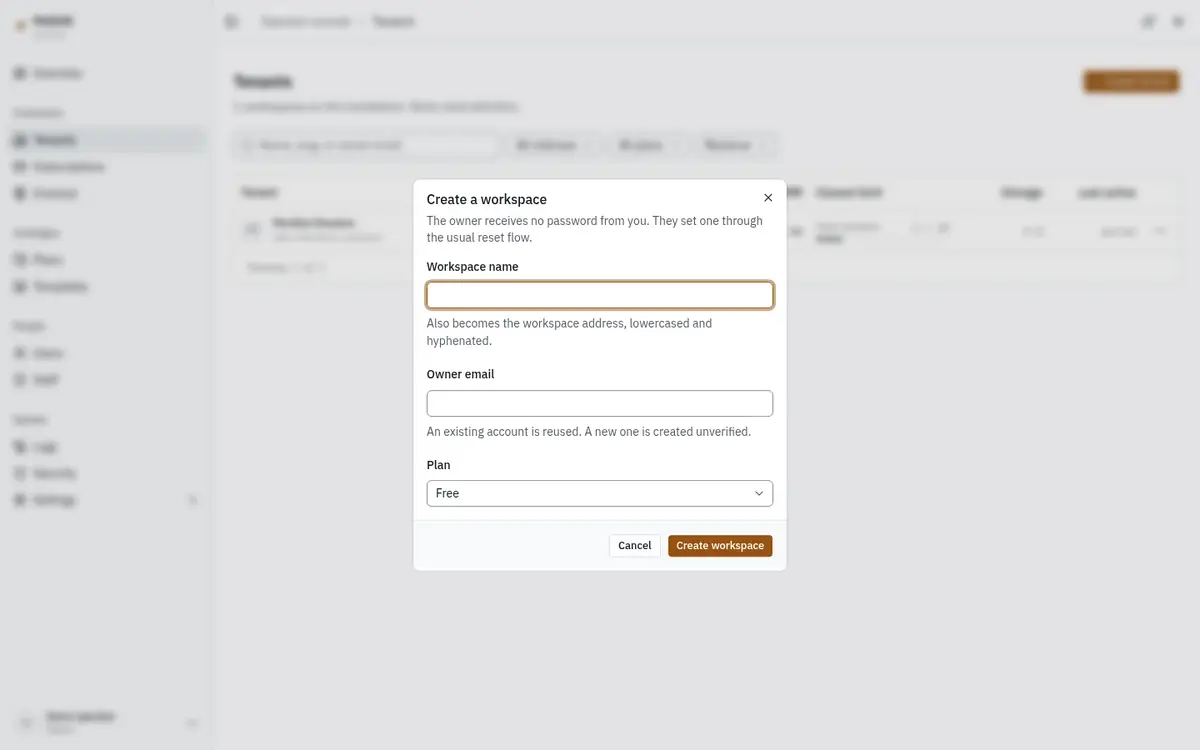
- Click Create tenant.
- Enter the workspace name. It also becomes the workspace's address, lower-cased and hyphenated.
- Enter the owner email. If that person already has an account, it is reused; otherwise a new, unverified account is created.
- Choose a plan and click Create workspace.
You never set or see the owner's password. They choose one through Forgot password on the sign-in page.
Open a tenant
Click a tenant's name to see its usage against the plan's limits, its account details and its members.
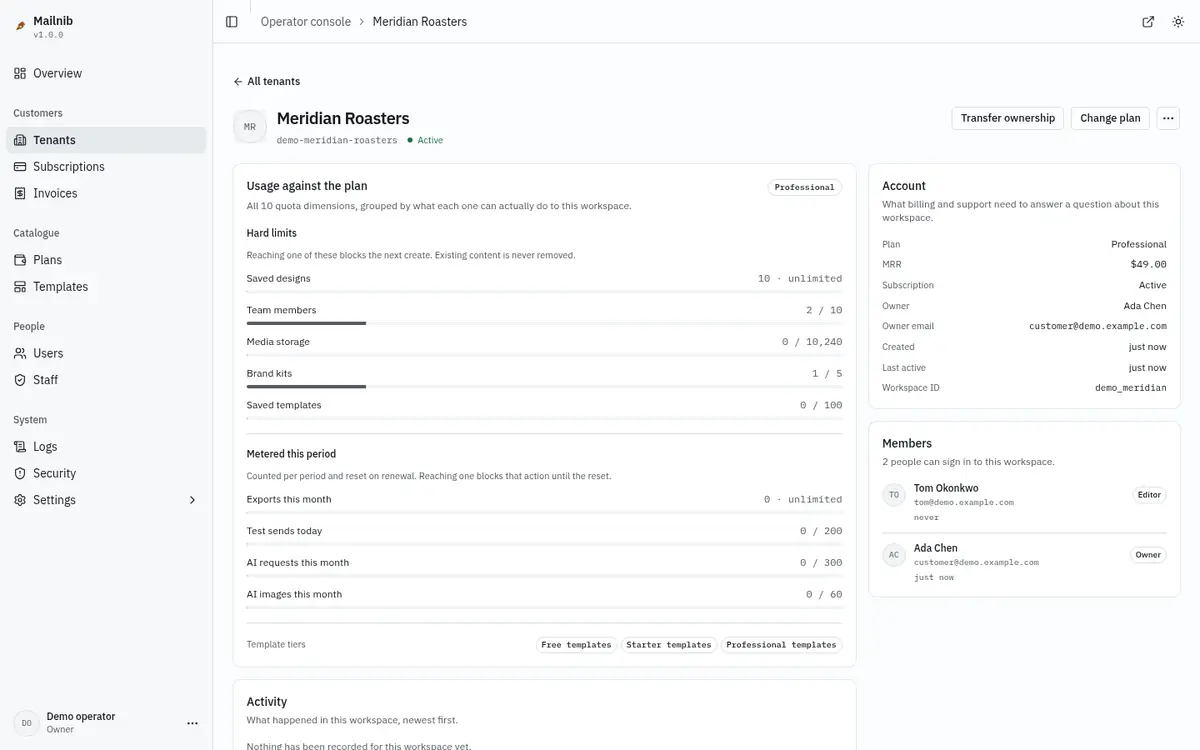
From here you can:
- Change plan. Upgrades take effect immediately. If a downgrade would put the workspace over a new limit, the dialog lists each limit it would breach before you confirm.
- Transfer ownership. Choose another existing member. The previous owner becomes an admin.
- Suspend (from the ⋯ menu). Everyone in the workspace is signed out and cannot sign in until you Reinstate it. Nothing is deleted. A reason is required.
- Force a password reset (from the ⋯ menu), for a member who is locked out. Every session they have ends, and a reset link valid for one hour is emailed to them.
What happens when a workspace goes over its plan
Content is never deleted. A workspace that is over a limit after a downgrade, or whose payment has failed through every reminder, becomes read-only: members can open, read and export everything, but cannot save or create until the plan is back in good standing. See Quotas.
Plans
Open Plans to see the four shipped plans, their price, trial length and how many subscribers each has.
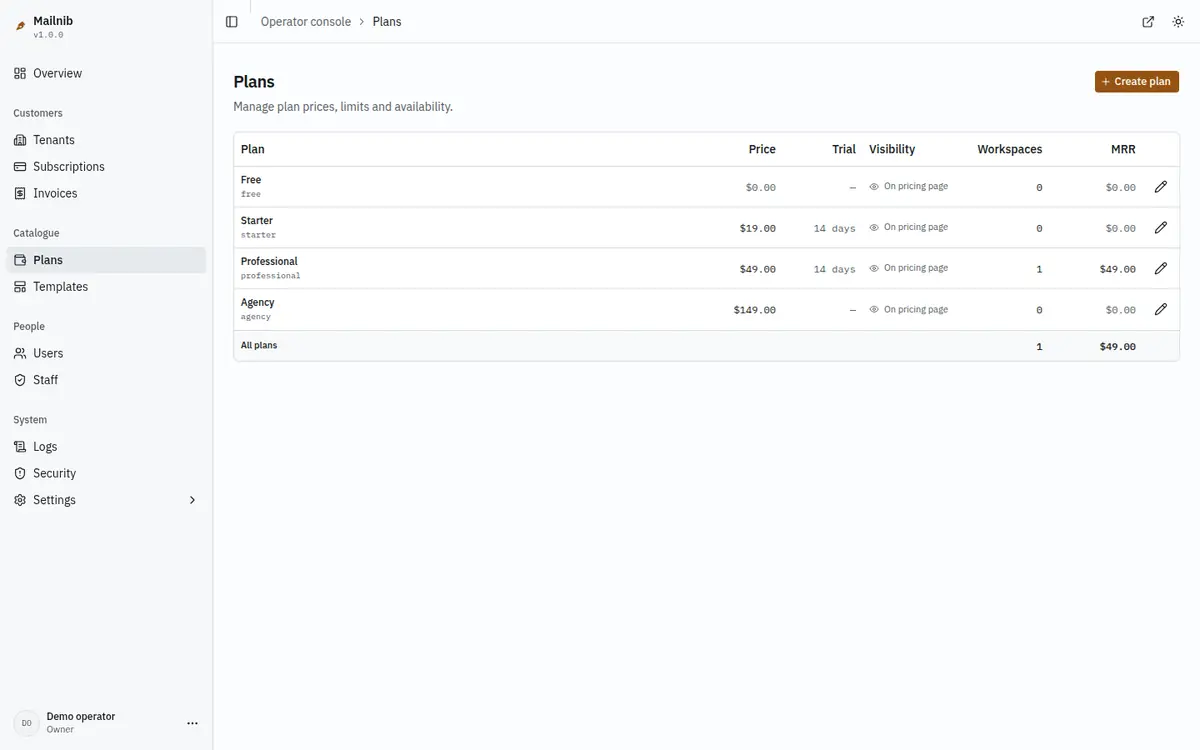
| Plan | Price | Trial | Designed for |
|---|---|---|---|
| Free | $0 | none | Trying the builder; three designs. |
| Starter | $19 / month | 14 days | A freelancer; 25 designs, 3 seats. |
| Professional | $49 / month | 14 days | A small team; unlimited designs, 10 seats. |
| Agency | $149 / month | none | Agencies; unlimited seats and a shared workspace brand kit. |
The full list of limits for each plan is on Quotas.
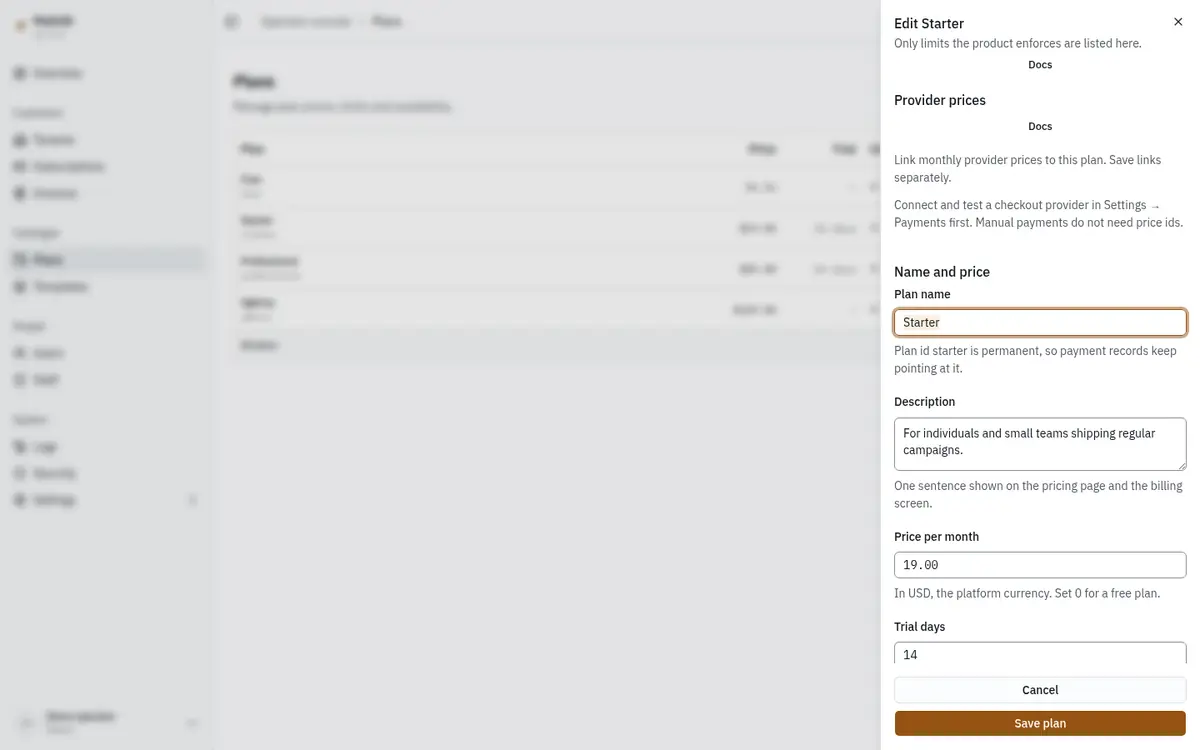
Click Create plan, or a plan's name, to open the editor: name, description, monthly price, trial days, whether it appears on the pricing page, and the enforced limits. The plan's id is taken from its name when it is created and never changes, so payment records keep pointing at it. Saved plans appear on the public pricing page and in customers' Billing → Compare plans straight away. How edits reach existing subscribers is on Quotas.
Subscriptions and invoices
Subscriptions lists every subscription with its status, amount, renewal date and payment provider. Invoices is the ledger of every invoice issued. Invoices are immutable: a correction is a new invoice, never an edit.
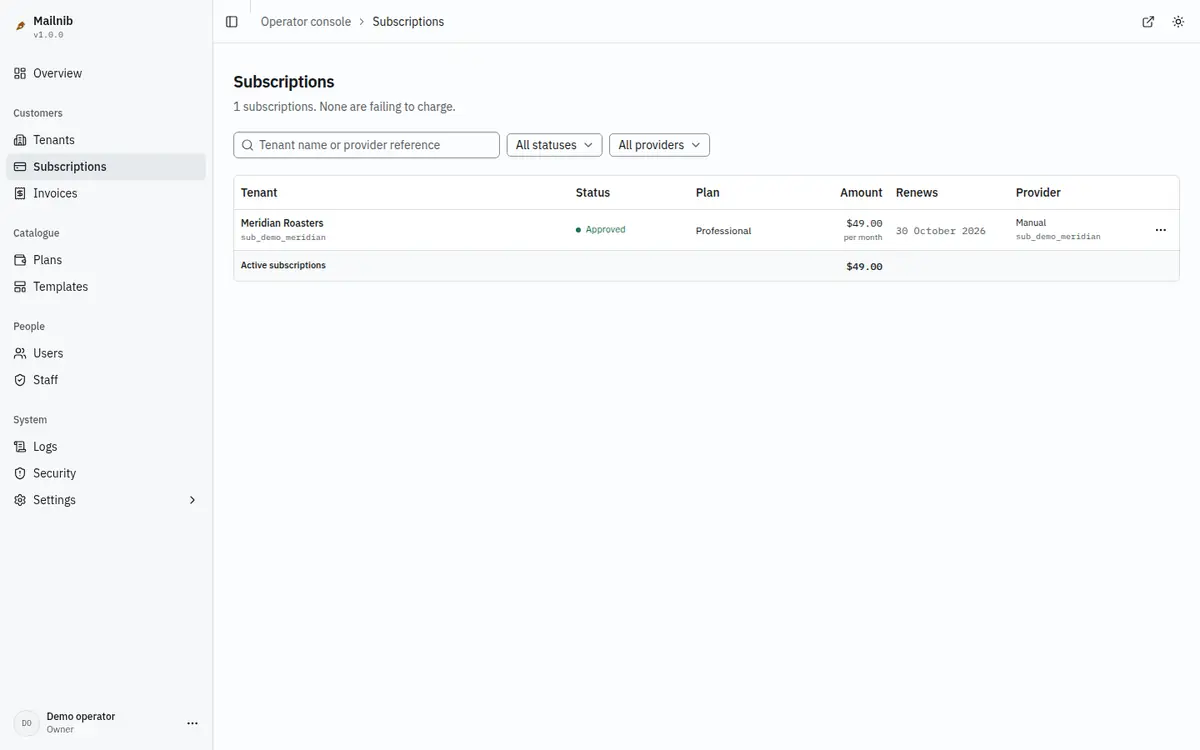
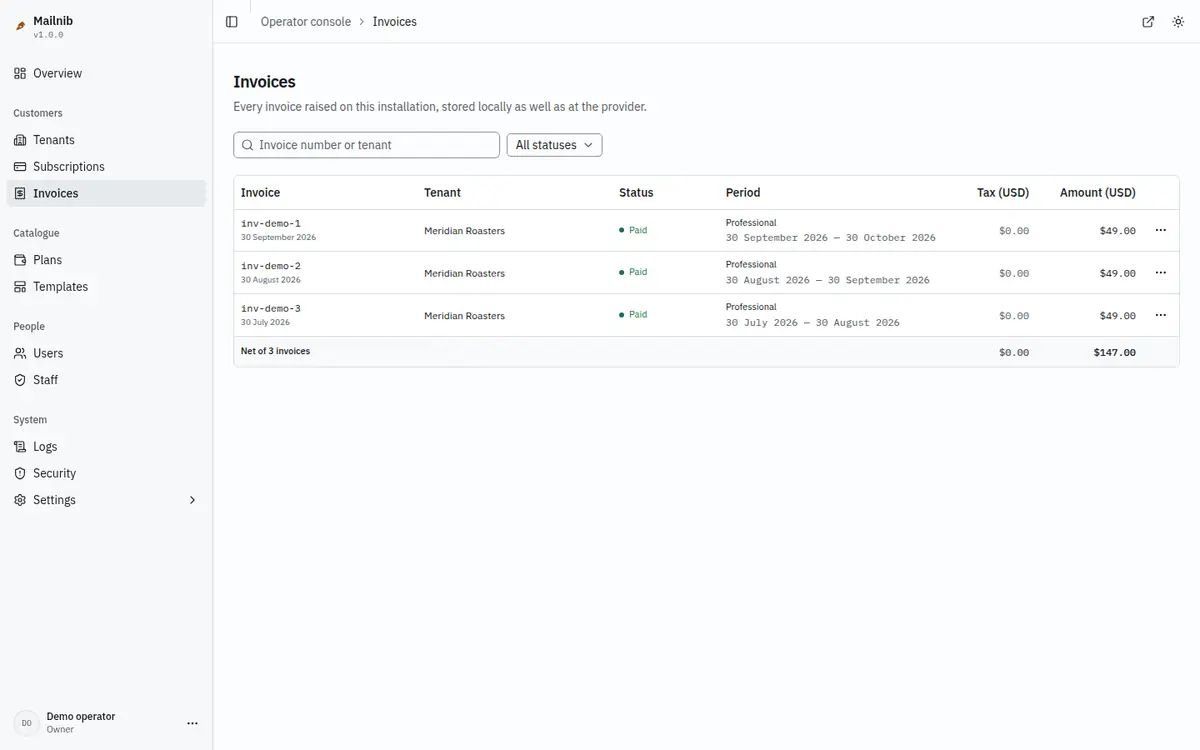
When you change a plan, new subscriptions get the new terms. Existing subscribers retain their previous terms unless you select the migration option. Hidden plans leave the public pricing page but remain assigned to existing subscribers. Publishing permits connections to the supported email platforms; each publish consumes one export.
Delete a user
In Users, open the row menu and choose Delete user. Review the owned workspaces and their design counts, then confirm. Workspaces with no other members, their designs and files are deleted, and active provider subscriptions are cancelled first. Other memberships and sessions are removed; history remains. Operator accounts and your own account cannot be deleted here.
A workspace with other members blocks deletion. Follow its link and use Transfer ownership before trying again. The audit log records the email, deleted workspace ids and cancelled subscriptions.