Operator guide
Email (SMTP) settings
Outcome: account confirmations, password resets and design test sends reach real inboxes.
Mailnib does not deliver email itself. It hands each message to an SMTP server you provide: your host's mail server, or a transactional provider such as Postmark, Amazon SES, Mailgun, Brevo or SendGrid (all of which offer SMTP).
What you need from your provider
- The SMTP host, such as
smtp.postmarkapp.com - The port:
587(STARTTLS) is the usual choice;465is TLS from the first byte - A username and password (some providers call it an API key or an app password)
- A from address on a domain your provider has verified for you
Enter the settings
You enter them in step 4 of the web installer, which will not let you continue until a test with those exact settings succeeds. They are then shown on Settings → Email in the operator console.
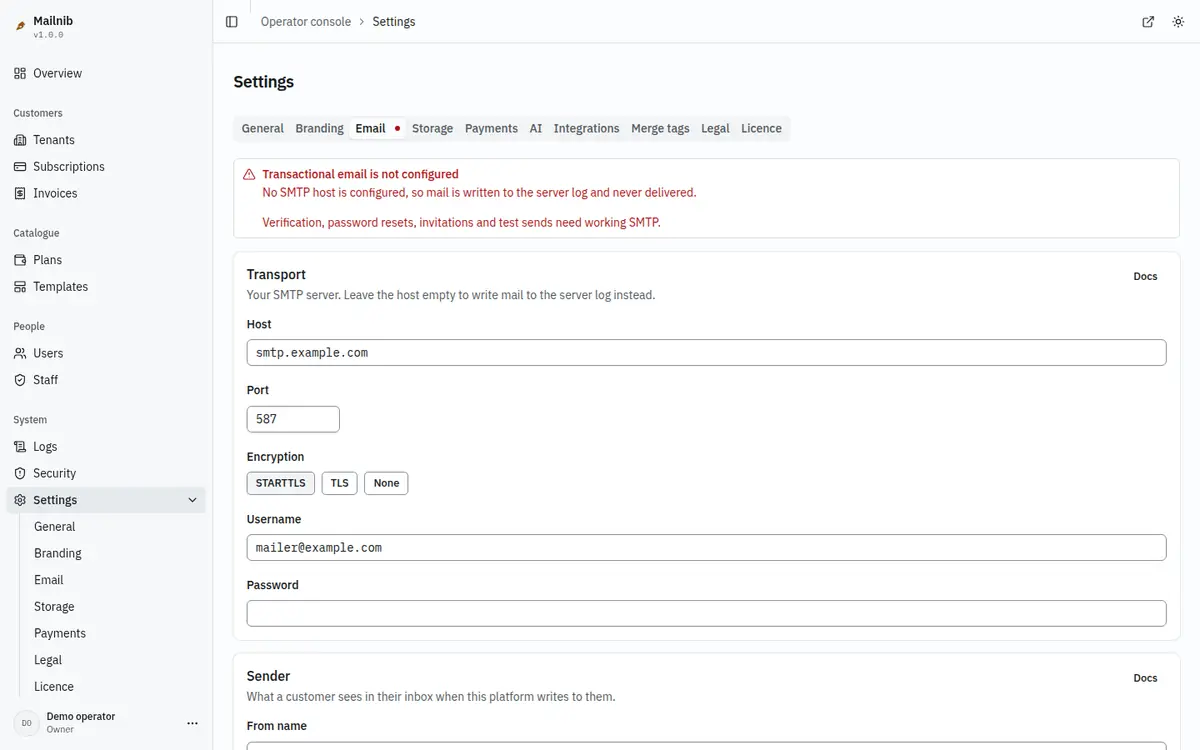
To change them later, edit the fields on Settings → Email; a save bar appears as soon as something changes. Fields you leave alone keep their saved values.
To move to environment variables instead, delete the saved settings with DELETE FROM platform_settings WHERE section = 'email';, set the SMTP_* and MAIL_* variables described in Configuration, and restart the app.
If you skipped SMTP in the installer ("Log only"), use the environment variables.
Check that it works
To prove your settings work, use Send a test at the bottom of Settings → Email. It sends a real message through the configured transport to the address you enter and shows the transport's answer, or its error. The result is kept, so the overview's health card and this page show when email last worked. 3. Check the inbox, including the spam folder.
If nothing arrives, look at the server log: every failed attempt is logged with its cause.
Precedence
Saved settings win over the matching environment variables, which act as fallbacks. The one exception is SMTP_PASSWORD, which wins over a saved password. MAIL_TRANSPORT=log overrides everything and stops all delivery; leave it empty in production. The variables are listed in Configuration.
Common problems
| What you see | What to do |
|---|---|
| Customers never receive the confirmation email | Check MAIL_TRANSPORT is not log, then look in the server log for the send attempt. |
| "The SMTP server rejected the username or password" | Re-enter both. Gmail, Outlook and many providers need an app password, not your normal one. |
| "Couldn't connect to the SMTP server" | Check the host and port. Some hosts block outgoing port 25 and 587; ask them, or use port 465 or 2525 if your provider offers it. |
| Mail lands in spam | Your from address's domain needs SPF and DKIM records from your provider. |
Email settings reference
Connection. Enter the SMTP host, port, encryption and credentials supplied by your mail provider. Environment SMTP values apply to fields left empty. A blank password keeps the stored password; it is encrypted and cannot be read back.
Sender. Use a sender address on a domain your SMTP provider is authorised to send for. The sender name identifies this installation in verification, password-reset and invitation emails.
Test. Send a test to an address you control. A successful connection alone does not prove delivery. If the provider rejects credentials, re-enter them and test again; server logs contain the failure reference. Without working SMTP, verification, password resets, invitations and editor test sends cannot be delivered.